
Your rough cut, done before the coffee is
Cut the um.
Keep the good take.
Upload a talking video. Get it back with the silences, the filler words and the bad takes already cut, then fix the rest by editing the transcript.
So um, today I want to show you 1.2sthe, uh, the fastest way to edit, wait, let me start over. Today I want to show you the fastest way to like, edit a talking video. 0.9sYou just you know, upload it, and um, the dead air is already gone.
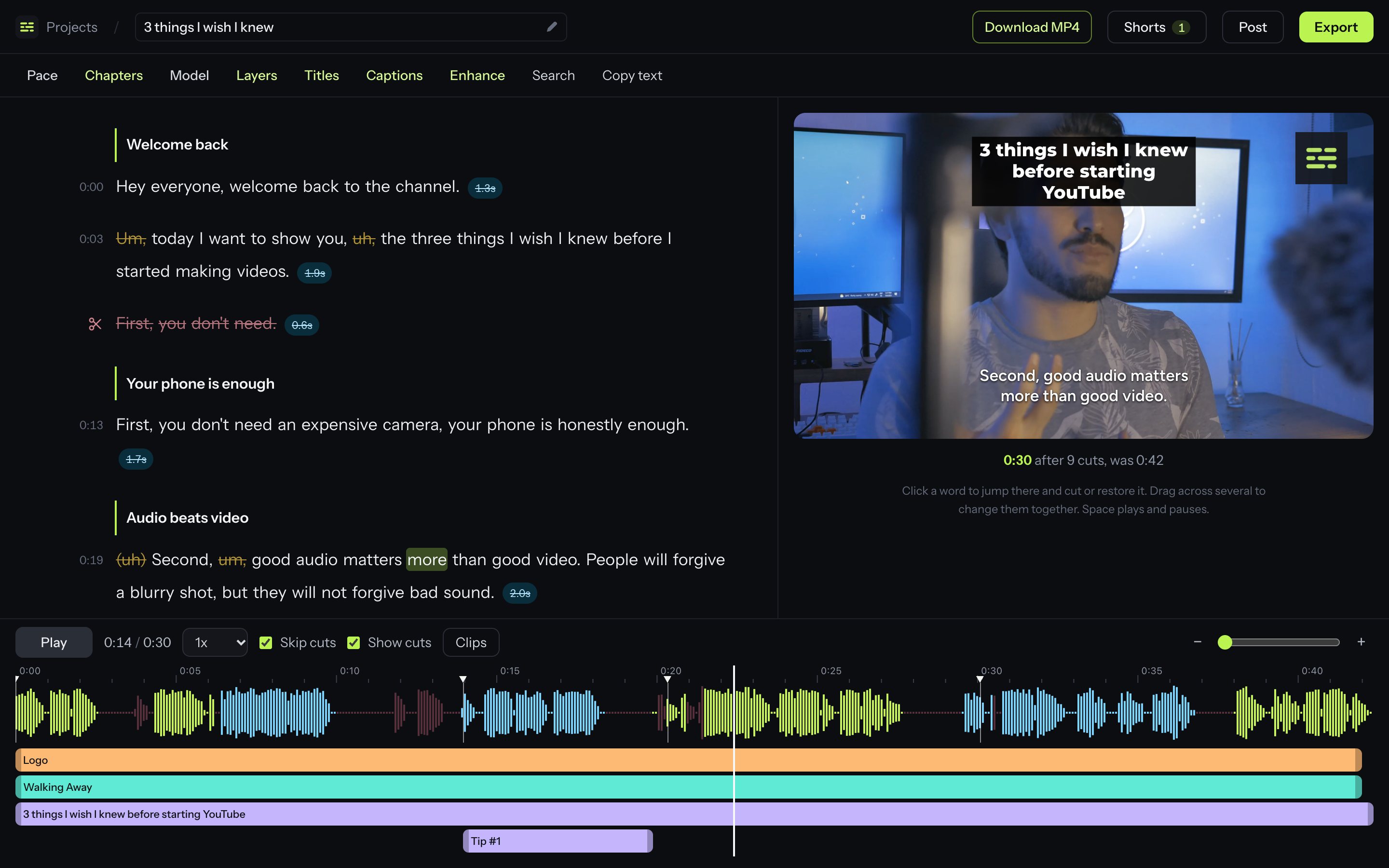
This is the editor. Not a mock-up.
Your words on the left, your video on the right. Anything struck through is already gone, and one click brings it back.
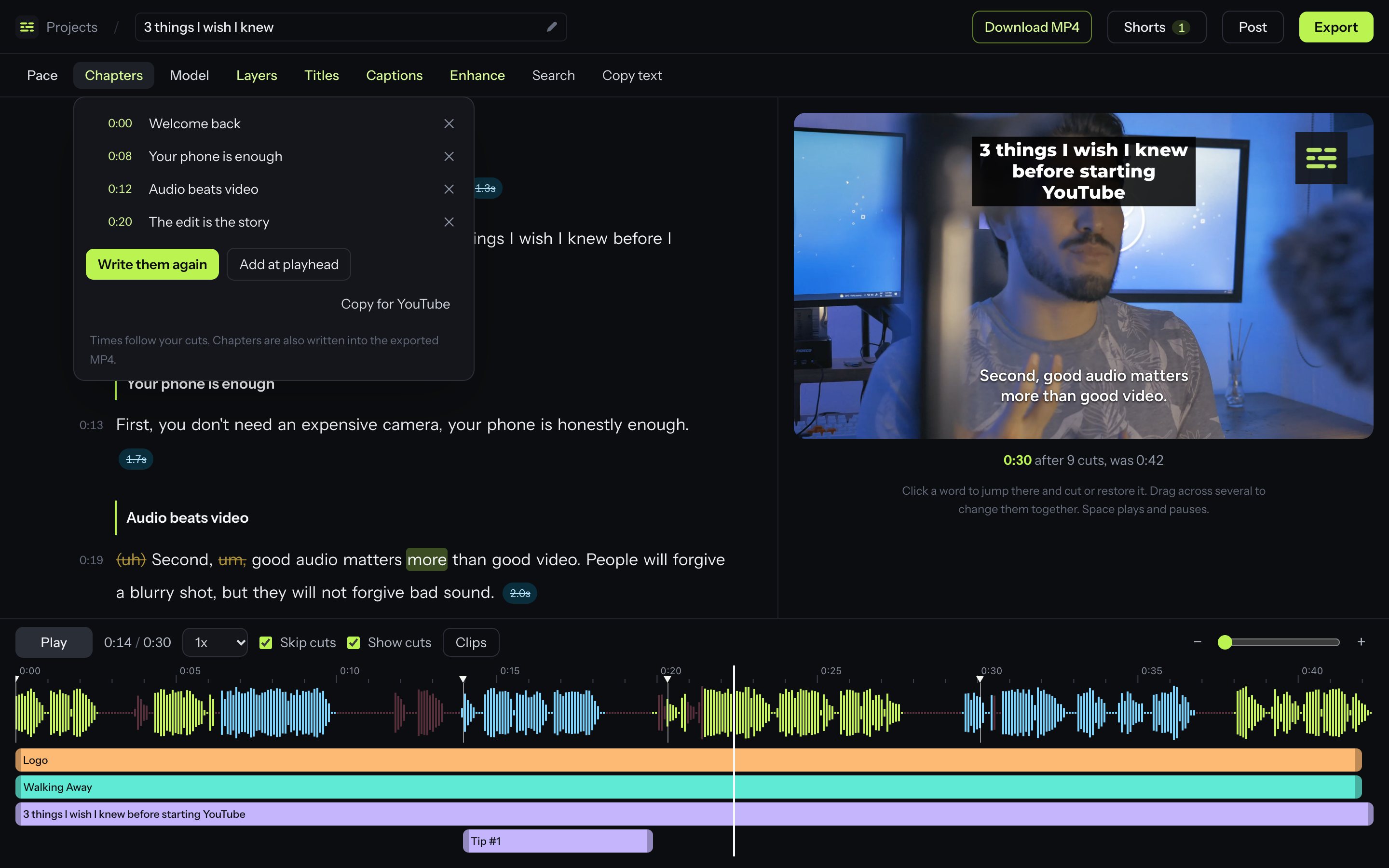
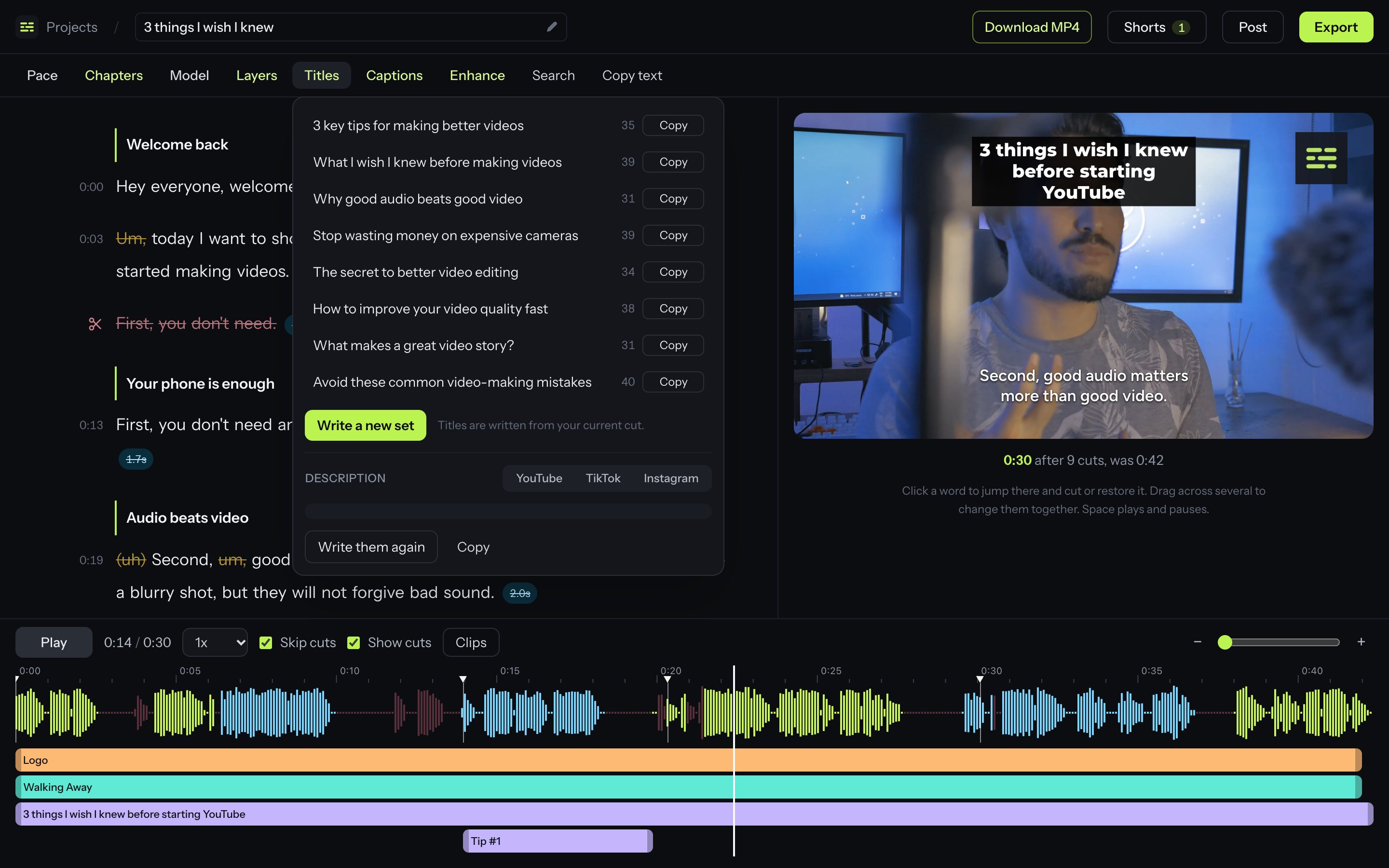
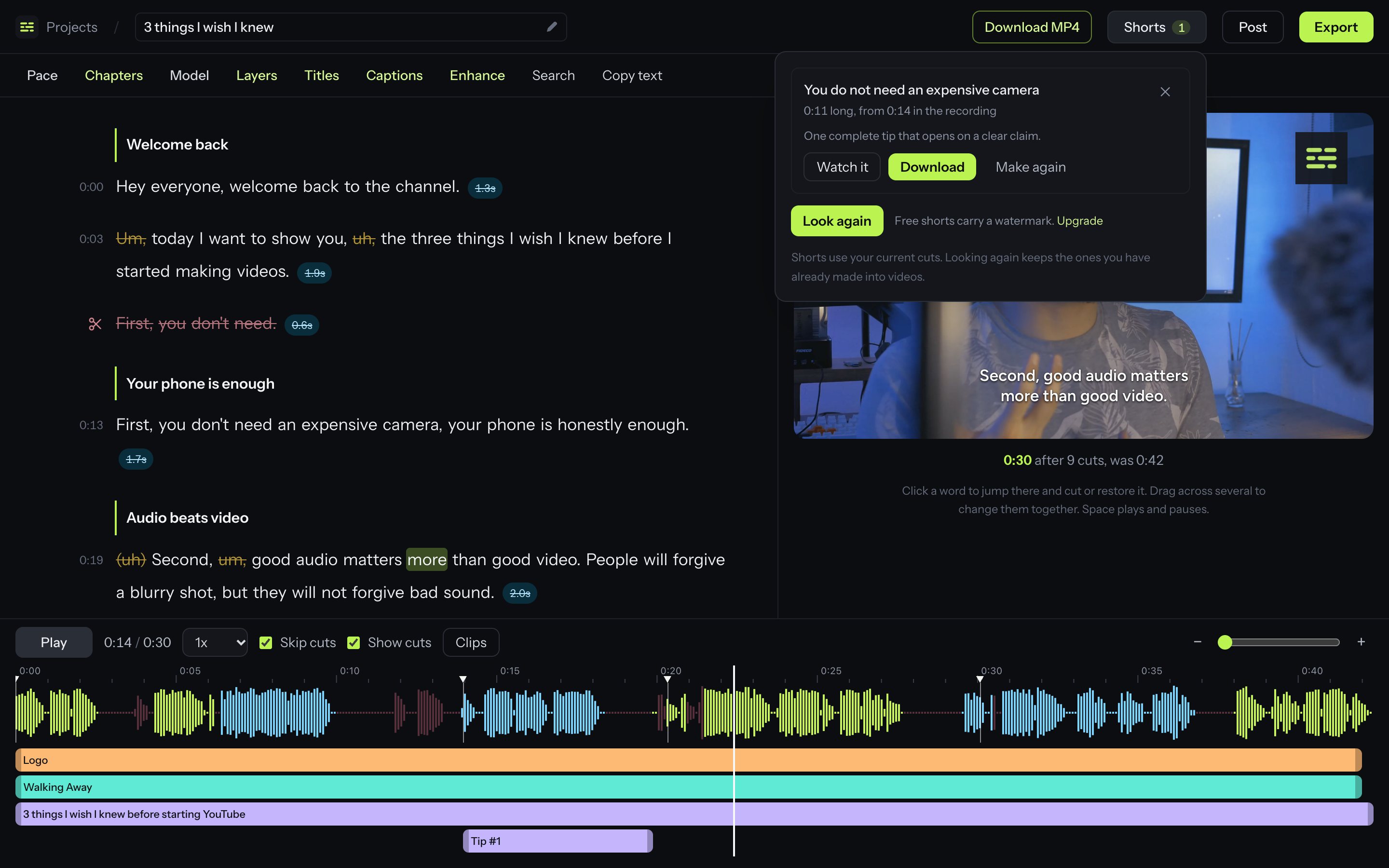
An hour of scrubbing, done while it uploads.
Four passes over your footage, each one you can see and undo.
Dead air, gone.
Every pause is found and trimmed. Keep it natural, or switch to Jumpy and lose every breath between sentences for that fast, no-empty-air cut.
Every um, uh and you know.
Spoken fillers are spotted in the transcript, including the quiet uhs a transcript usually misses, and cut without clipping the words around them.
So um, the trick is basically to you know, say it once uh, and move on.
Said it three times? Keep the last.
When you restart a sentence, the false starts are dropped and the take you finished stays.
The first thing you want to do is open the… no, hang on.
The first thing you want to, sorry, one more time.
The first thing you want to do is open your project.
Edit the video by editing the words.
Strike out a sentence and it leaves the video. Click anything that was cut to bring it straight back.
Then you export it. Honestly I did not plan this part. And that is the whole video.
So um, the trick is basically to you know, say it once uh, and move on.
The first thing you want to do is open the… no, hang on.
The first thing you want to, sorry, one more time.
The first thing you want to do is open your project.
Then you export it. Honestly I did not plan this part. And that is the whole video.
A rambling 12 minute take becomes a tight 8.
An illustration. How much comes out depends on how you talk.
Everything between recording and posting.
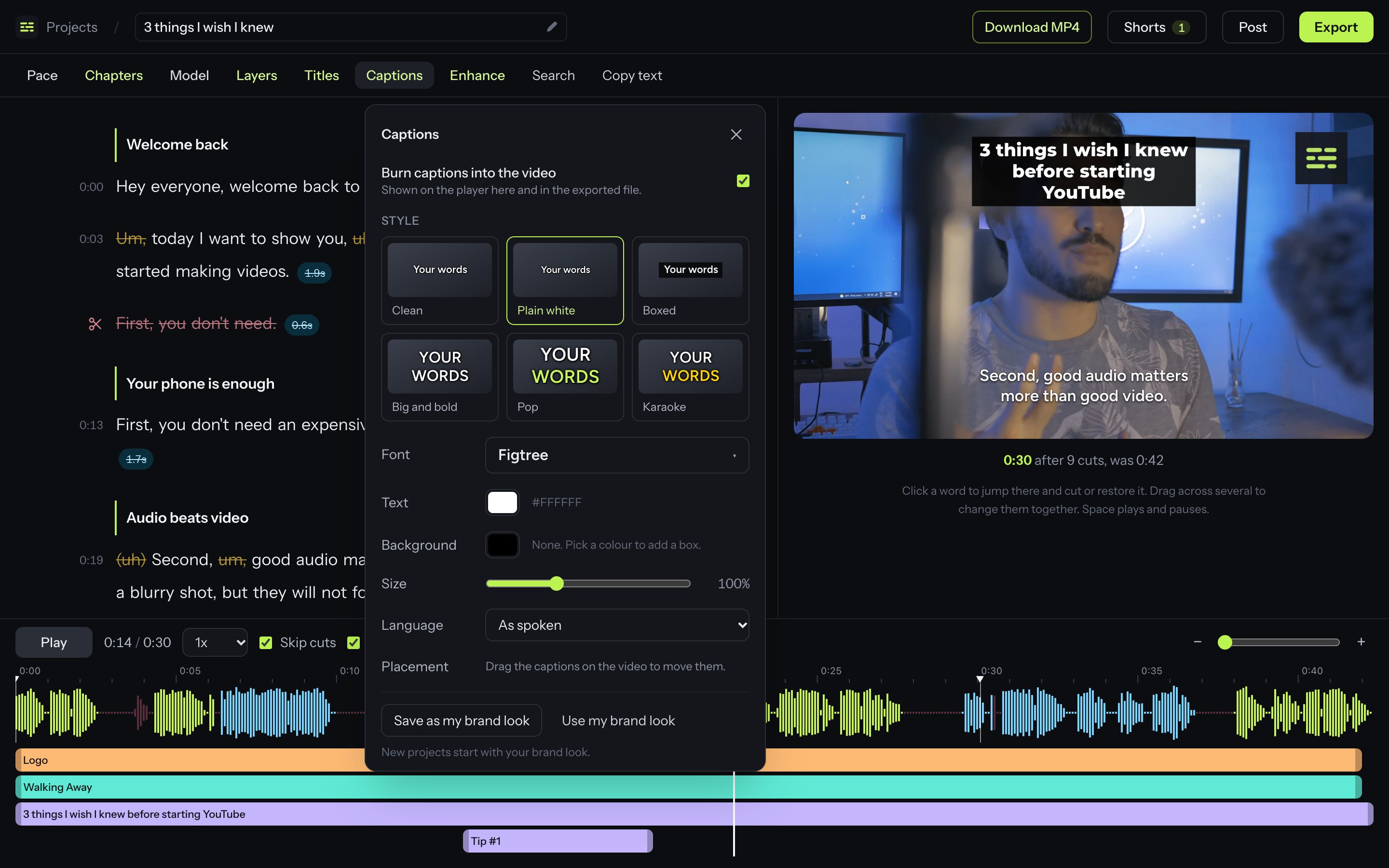
Captions in your style
Six styles, nineteen fonts, your colours. Drag them where you want them, or translate them into eleven languages.
Shorts from long videos
The best stand-alone moments are found for you and turned into vertical clips with captions.
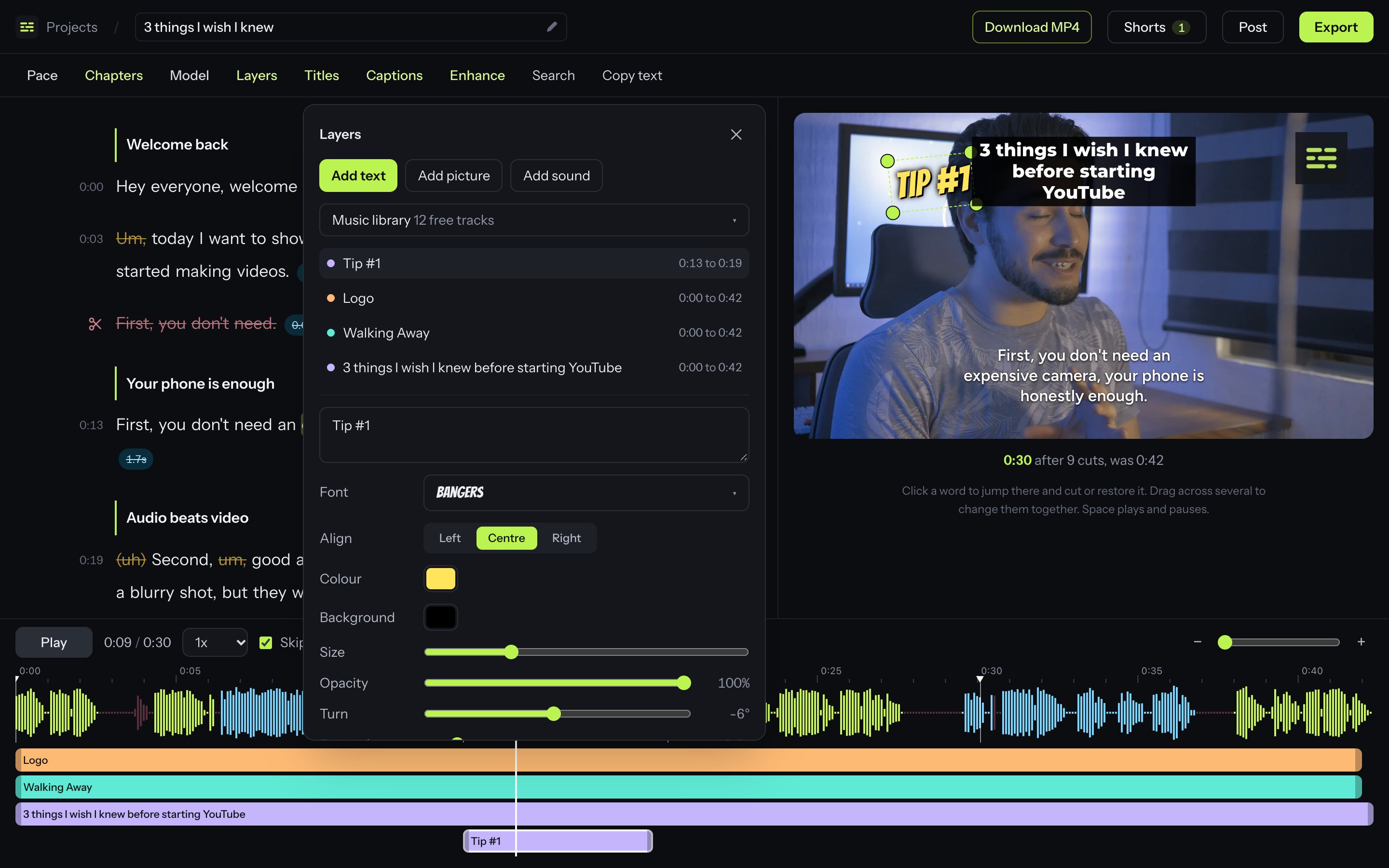
Text, logos and music
Layer text, pictures and sound over the video on a timeline. A free music library is built in.
Titles, descriptions, chapters
Written from what you actually said, for YouTube, TikTok and Instagram.
Sounds better too
Remove background noise, even out the volume, and let music duck under your voice.
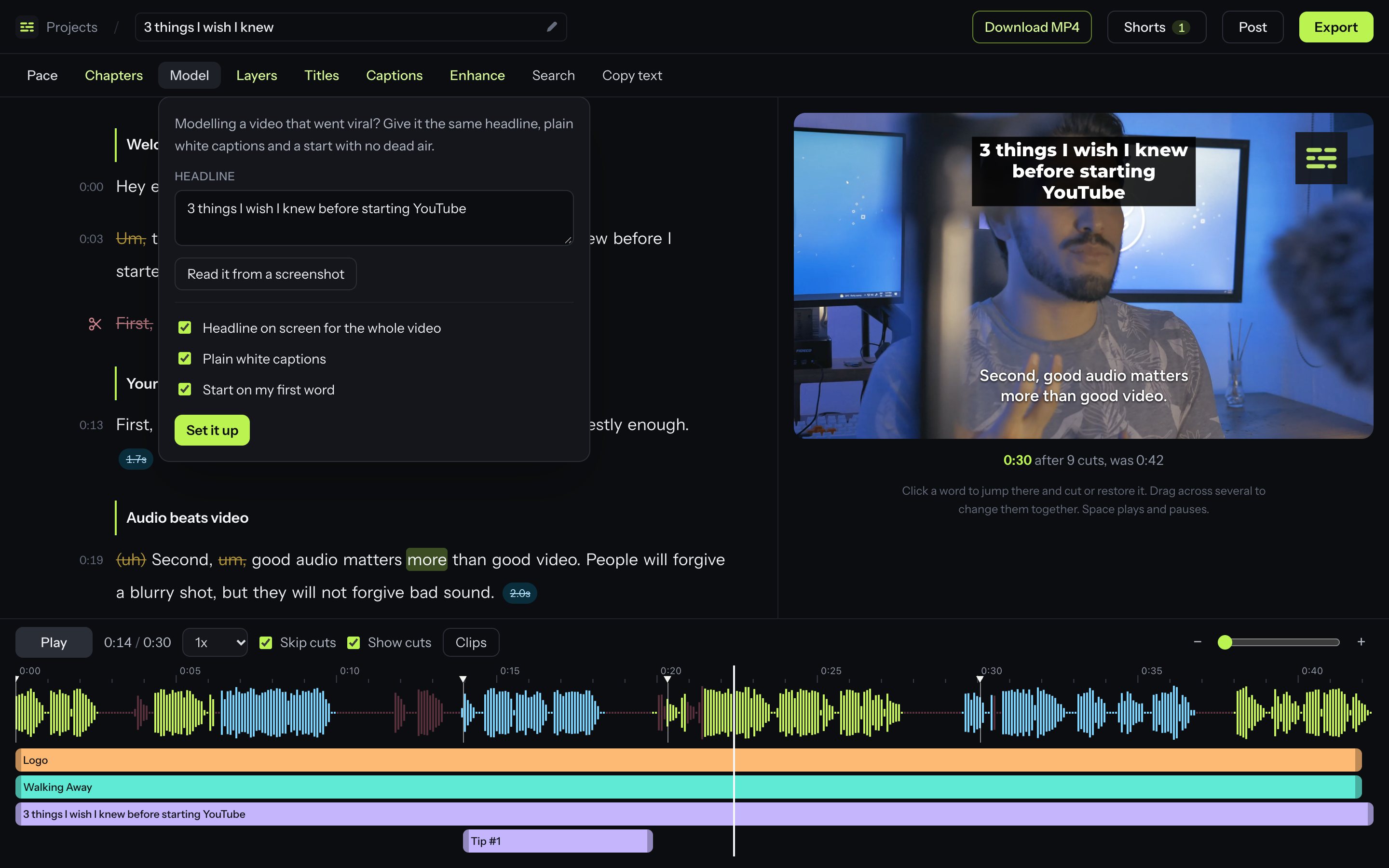
Match a video that worked
Give yours the same headline, plain white captions and an opening with no dead air. The headline can be read straight off a screenshot.
Trim, split and reorder
Drag the edge of any cut, split a clip, move clips around or play one twice. Every cut stays a suggestion you can undo.
Export your way
A finished MP4, the sound alone as an MP3, or a timeline for Premiere Pro, DaVinci Resolve or Final Cut Pro.
Your brand, every time
Save your caption look and logo once and every new project starts with them.
Simple pricing
Hours are footage you upload each month. Change or cancel whenever you like.
Free
Perfect for beginners to explore and learn.
$0 $0 / month
- 1 hour of footage a month
- Unlimited MP4 exports with a watermark
- Premiere, Final Cut and Resolve timelines
- 10 AI writes a month for titles, chapters, shorts and translation
- Captions, layers, music and shorts
- Audio enhancement
- Premium support
Plus
Most popularFor light users with a limited number of videos each month.
$20 $10 / month
$120 billed once a year
- 10 hours of footage a month
- Unlimited MP4 exports, no watermark
- Premiere, Final Cut and Resolve timelines
- 100 AI writes a month for titles, chapters, shorts and translation
- Captions, layers, music and shorts
- Audio enhancement
- Premium support
Pro
For creators who publish every week and want more room.
$40 $20 / month
$240 billed once a year
- 30 hours of footage a month
- Unlimited MP4 exports, no watermark
- Premiere, Final Cut and Resolve timelines
- 300 AI writes a month for titles, chapters, shorts and translation
- Captions, layers, music and shorts
- Audio enhancement
- Premium support
Elite
For those who demand the highest level of performance.
$100 $50 / month
$600 billed once a year
- 100 hours of footage a month
- Unlimited MP4 exports, no watermark
- Premiere, Final Cut and Resolve timelines
- 1,000 AI writes a month for titles, chapters, shorts and translation
- Captions, layers, music and shorts
- Audio enhancement
- Premium support
Questions
How are the hours counted? +
By the length of the footage you upload each month. A 20 minute recording uses 20 minutes. Unused time does not roll over.
What do I get for free? +
One hour of footage every month, with every editing feature and ten AI writes. Free exports carry a small watermark, and audio enhancement and timeline export to other editors are part of the paid plans.
What is an AI write? +
Each time you ask for chapters, titles, descriptions or shorts to be written, that is one AI write. Translating captions uses one for every forty sentences. They renew every month with your footage.
Can I undo what it cut? +
Yes. Nothing is deleted from your video. Click any struck-through word or pause in the transcript to put it back.
Which files can I upload? +
MP4 and MOV files, which is what phones, cameras and screen recorders make, in either vertical or horizontal.
Which editors can I send the cut to? +
Premiere Pro and DaVinci Resolve with an .xml timeline, and Final Cut Pro with .fcpxml. You can also download a finished MP4 and .srt captions.
Can I cancel? +
Any time, from the billing page. You keep your plan until the end of the period you paid for.