
Everything between recording and posting.
Cut The Um takes a raw talking video to a finished one: cut, captioned, branded, titled and clipped into shorts.
The rough cut, done before you sit down.
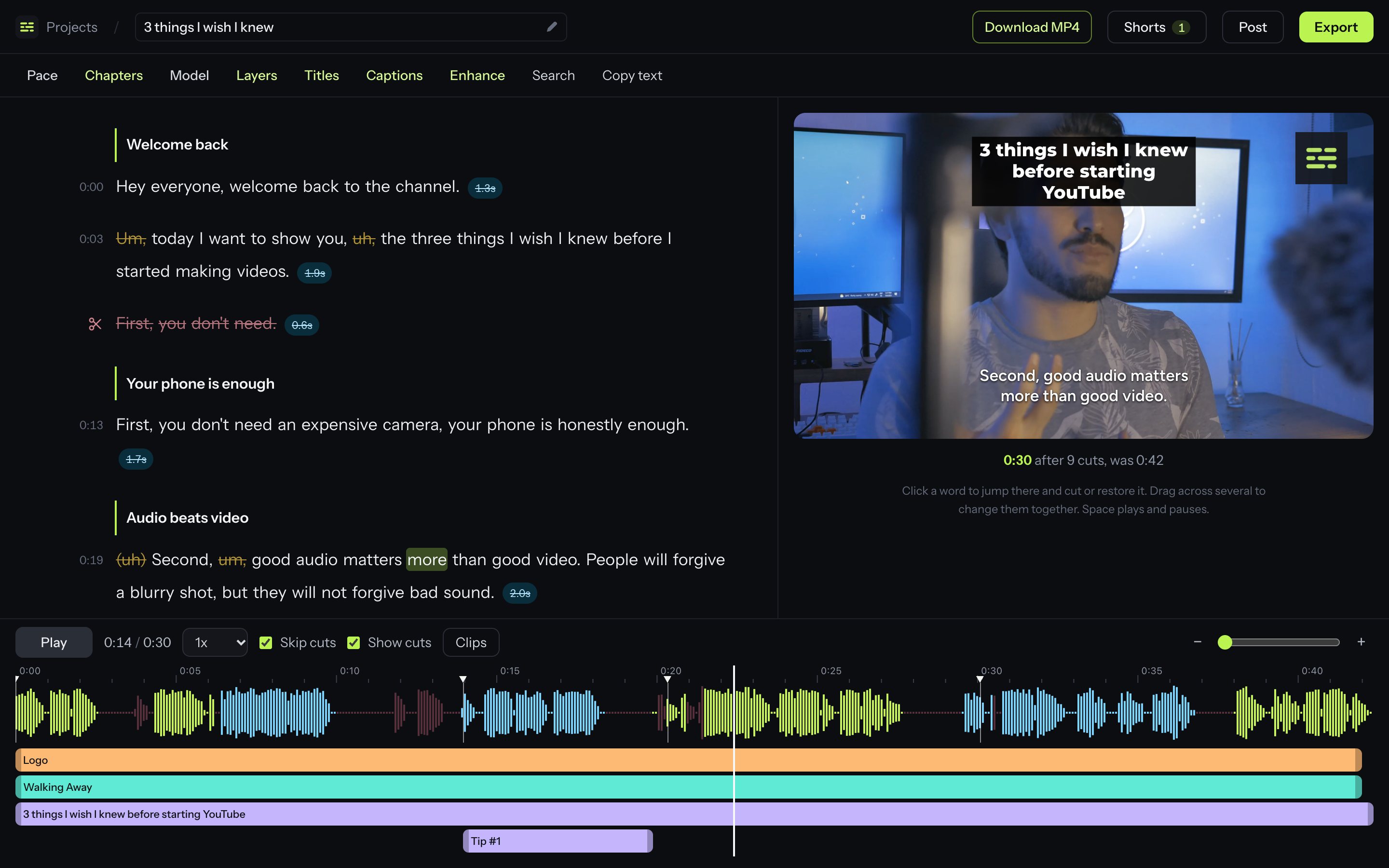
Upload a recording and the editing that takes an afternoon is already finished. Everything it removed is still there, one click away.
Silences removed
Every pause is found and trimmed. Choose Natural to keep room to breathe, or Jumpy to lose every gap. Fine-tune how quiet counts as silence and how long a pause has to be.
Filler words removed
Um, uh, like, you know. Including the quiet uhs a transcript usually leaves out.
Bad takes removed
When you restart a sentence, the false starts go and the take you finished stays.
Edit by editing the words
Strike out a word, a sentence or a whole paragraph and it leaves the video. Click anything that was cut to bring it back.
Search and undo
Find any phrase in the transcript, and undo any change.
Several clips, one video
Upload the parts of a recording together and they are joined into one project, in order.
Trim any cut by hand
Drag the edge of a cut on the waveform to keep a beat before you speak, or lose one. The video follows your hand so you stop on the right frame.
Split, reorder and repeat
Split a clip at the playhead, drag clips into a new order, or play one twice. The preview and the export follow.
Captions that look like yours.
Burned into the video, timed to the cut, and previewed on the player while you style them.
Six styles
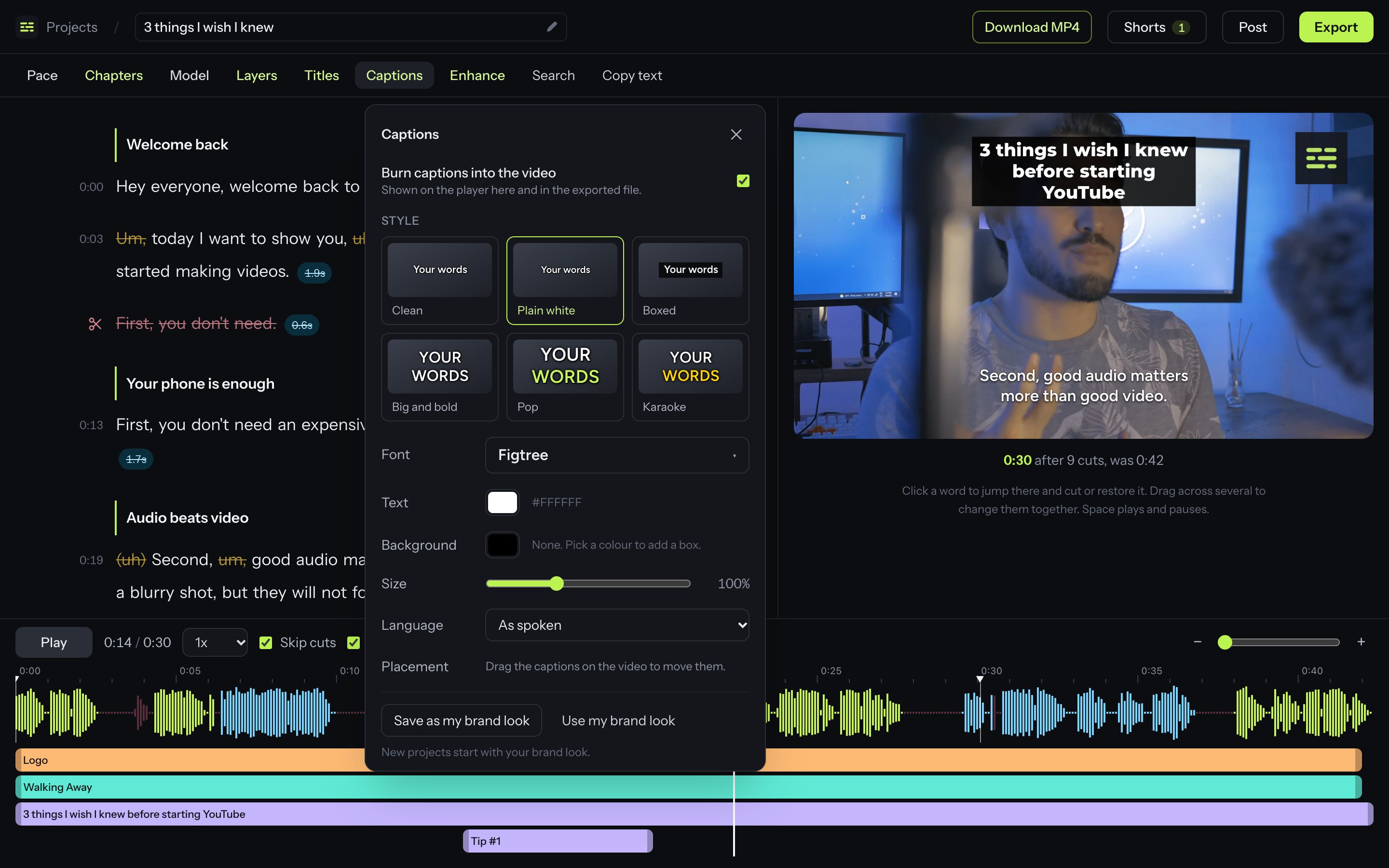
Clean, Plain white, Boxed, Big and bold, Pop and Karaoke. Plain white stacks a whole phrase the way short videos do, and Pop and Karaoke light up each word as it is said.
19 fonts
From Google Fonts, each shown in its own face so you can pick by eye.
Your colours
Text colour, the colour of the word being spoken, and an optional box behind the text.
Drag to place
Pick the captions up on the video and put them where they belong. Set the size to suit.
11 languages
Translate the captions into Spanish, Portuguese, French, German, Italian, Dutch, Polish, Swedish, Turkish, Indonesian or Russian.
Caption files too
Download .srt for YouTube and editors, .vtt for web players, or the plain transcript as text.
Start from a video that already worked.
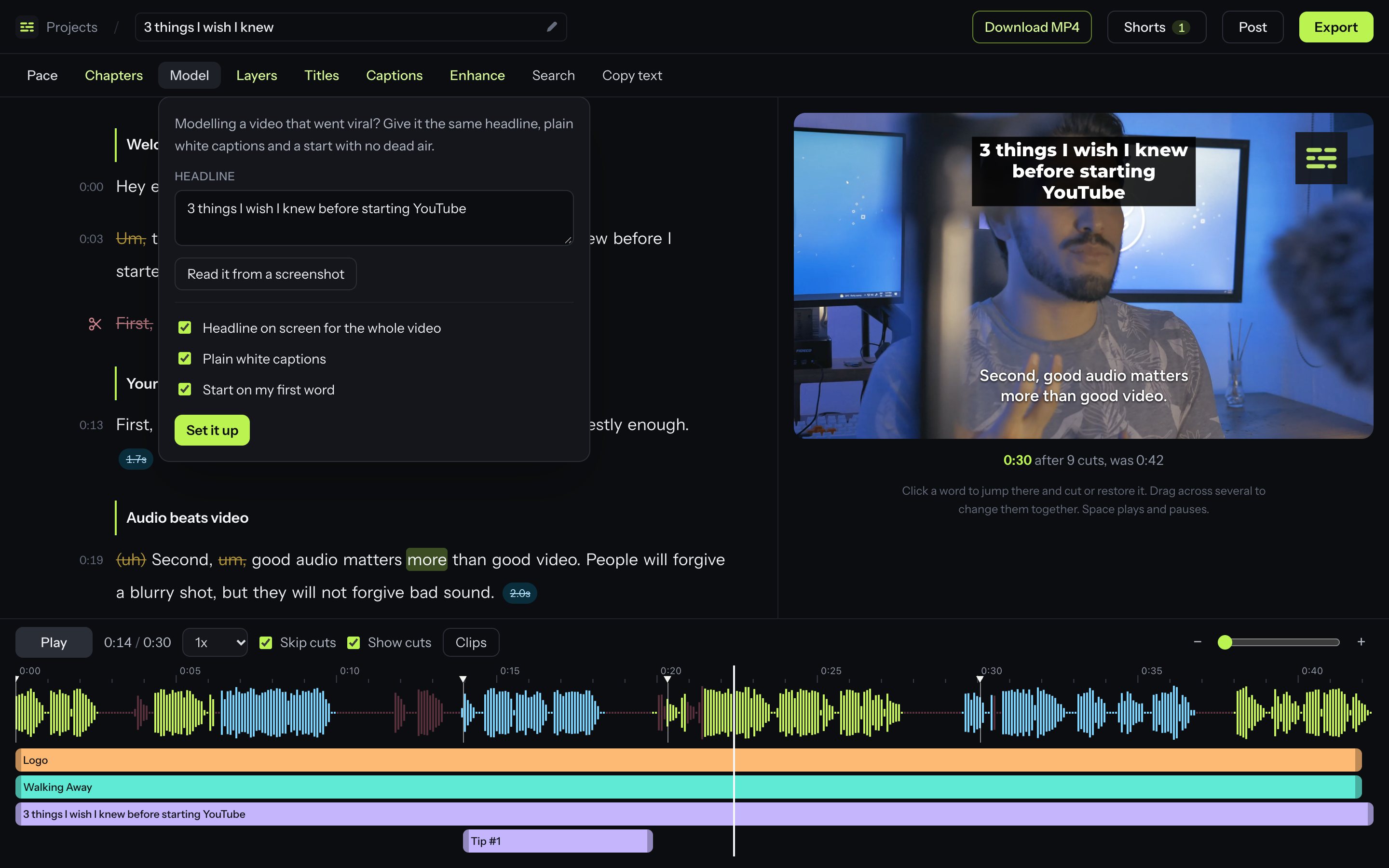
Found a short that took off and want yours built the same way? One menu sets up its headline, its captions and its no-dead-air opening. All of it is optional, and all of it can be changed afterwards.
Headline from a screenshot
Paste or upload a screenshot of the video and the headline is read off it for you. Or just type it.
On screen from the first frame
The headline sits over the whole video as a text layer you can restyle, move or shorten.
Plain white captions
Sentence-case captions with a soft shadow, stacked two or three lines at a time.
Starts on your first word
The video opens on the frame you start speaking. Nothing before it, not even a breath.
Text, pictures and music, on a timeline.
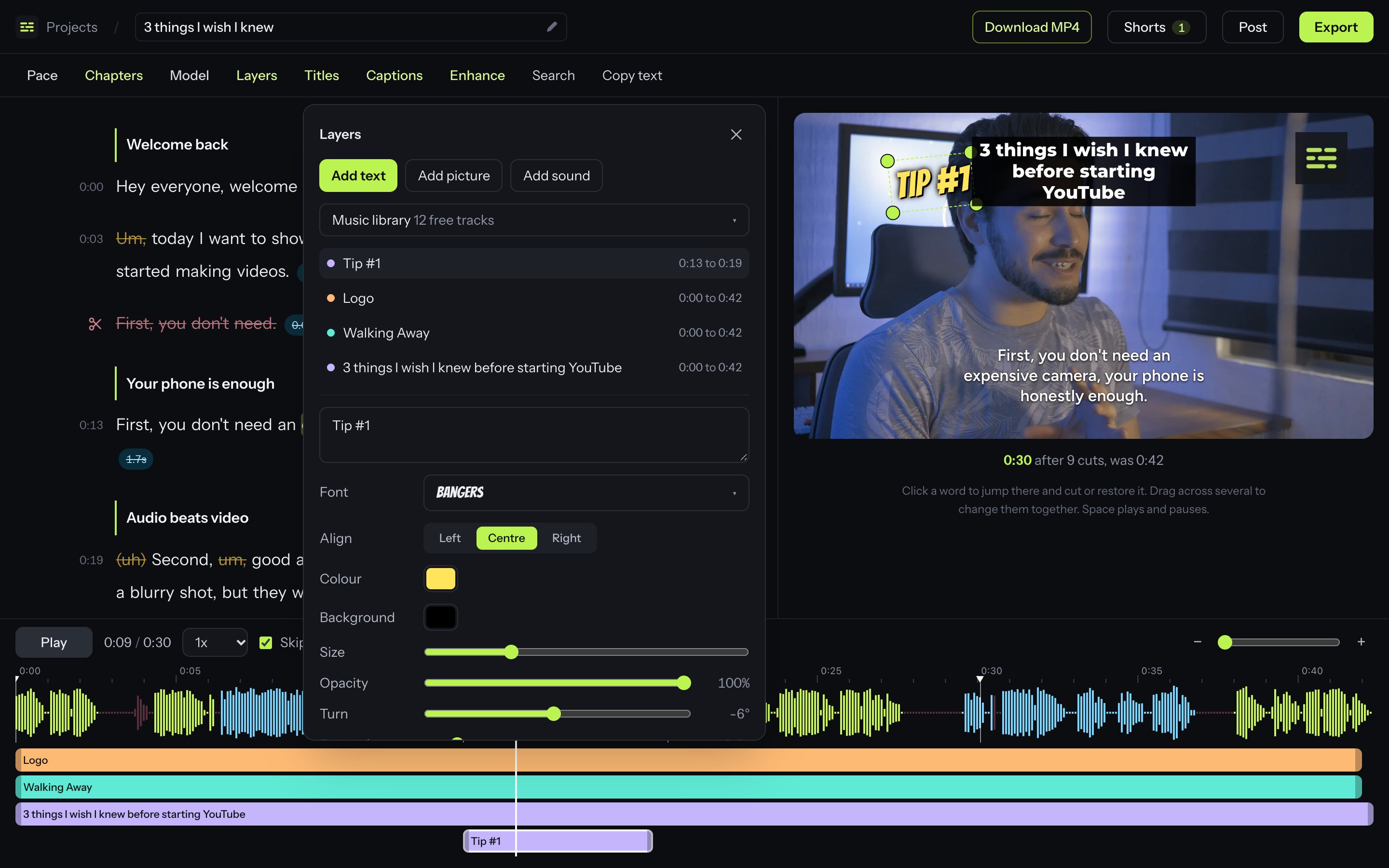
Each layer gets a bar under the waveform. Drag the bar to set when it appears, and drag the layer itself to set where.
Text and pictures
Add a headline, a lower third or your logo. Move it, resize it from any corner, and turn it by dragging just outside a corner.
Fade and opacity
Layers can fade in and out and sit at any opacity.
Your own sound
Upload music or a sound effect and set its volume.
12 free music tracks
A built-in library of public-domain music you can use in any video, with no attribution.
Music that gets out of the way
Turn on ducking and the music drops whenever you speak.
Brand kit
Save your caption look and your logo once. New projects start with your look, and your logo is one click away.
Look and sound like you tried harder.
The finishing passes that make a jump-cut video feel deliberate.
Auto zoom
Alternates between wide and close at the cuts, so a jump cut reads as a change of shot. You choose how far it punches in.
Background noise removal
Takes out hum, hiss and rumble.
Audio enhancement
Cleans the voice and evens out the volume to broadcast loudness. On paid plans.
Chosen pacing
One switch re-cuts the whole video tighter or looser.
Everything you need to press post.
The writing that goes around a video, done from what you actually said in it.
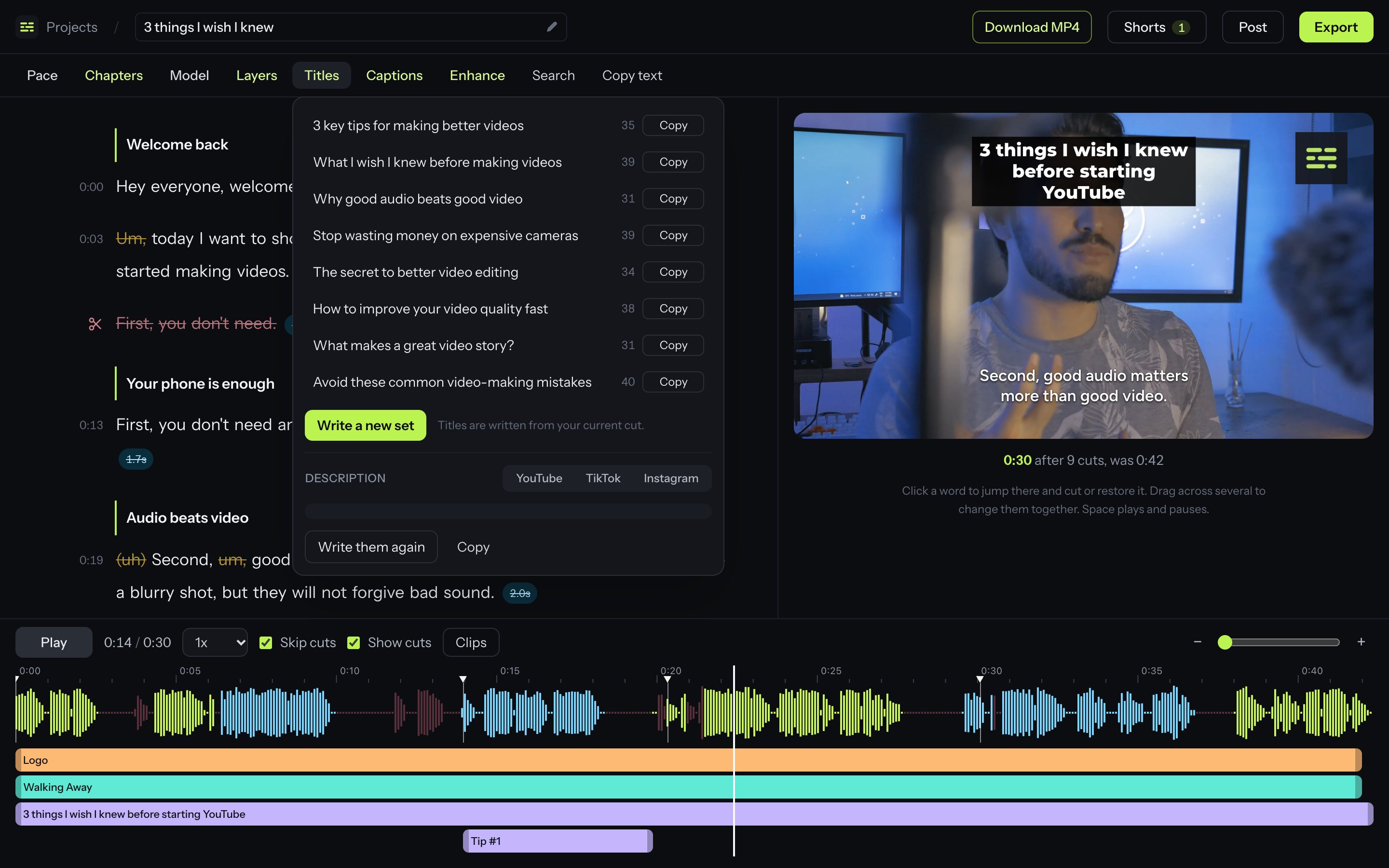
Titles
Eight YouTube titles, each taking a different angle, with a character count.
Descriptions
One each for YouTube, TikTok and Instagram, written the way each expects, with hashtags.
Chapters
Named chapters placed where the subject changes. They follow your cuts, are written into the video file, and copy straight into a YouTube description.
Export your way
A finished MP4, sound only as MP3, or a timeline for Premiere Pro, DaVinci Resolve or Final Cut Pro on paid plans.
One long video, a week of shorts.
The transcript is read for moments that make sense on their own. Each becomes a vertical clip with captions.
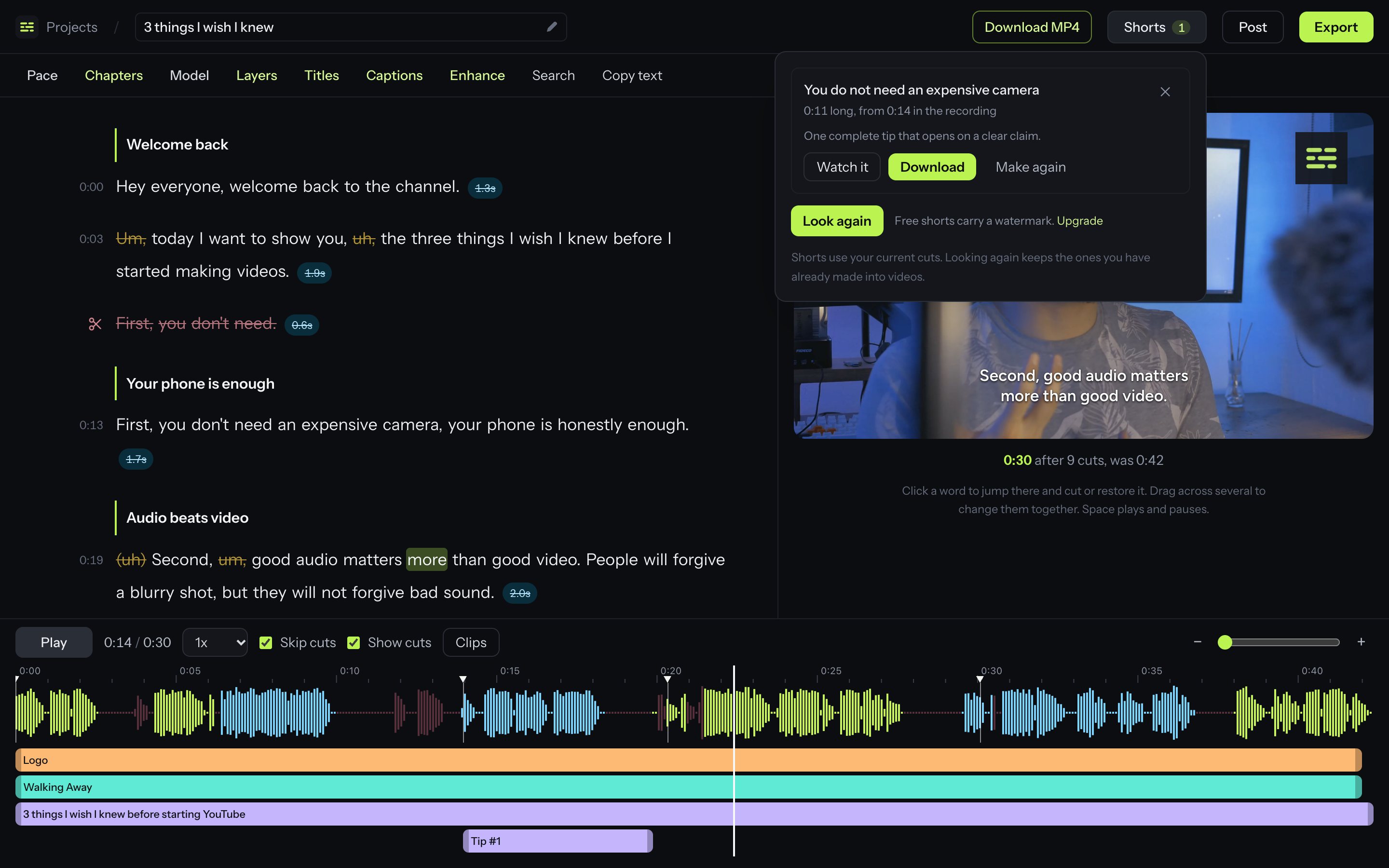
Found for you
Self-contained moments of 15 to 60 seconds, each with a title and the reason it works.
Watch before you make
Play just that stretch in the editor to check it lands.
Vertical with captions
Wide footage is cropped tall, your cuts are applied, and captions are burned in.
Post from the editor Coming soon
Send finished videos and shorts straight to YouTube, Instagram and TikTok.
Try all of it on your next video.
One hour of footage a month is free, with every feature on this page except the ones marked for paid plans.